Find any screenshot in seconds.
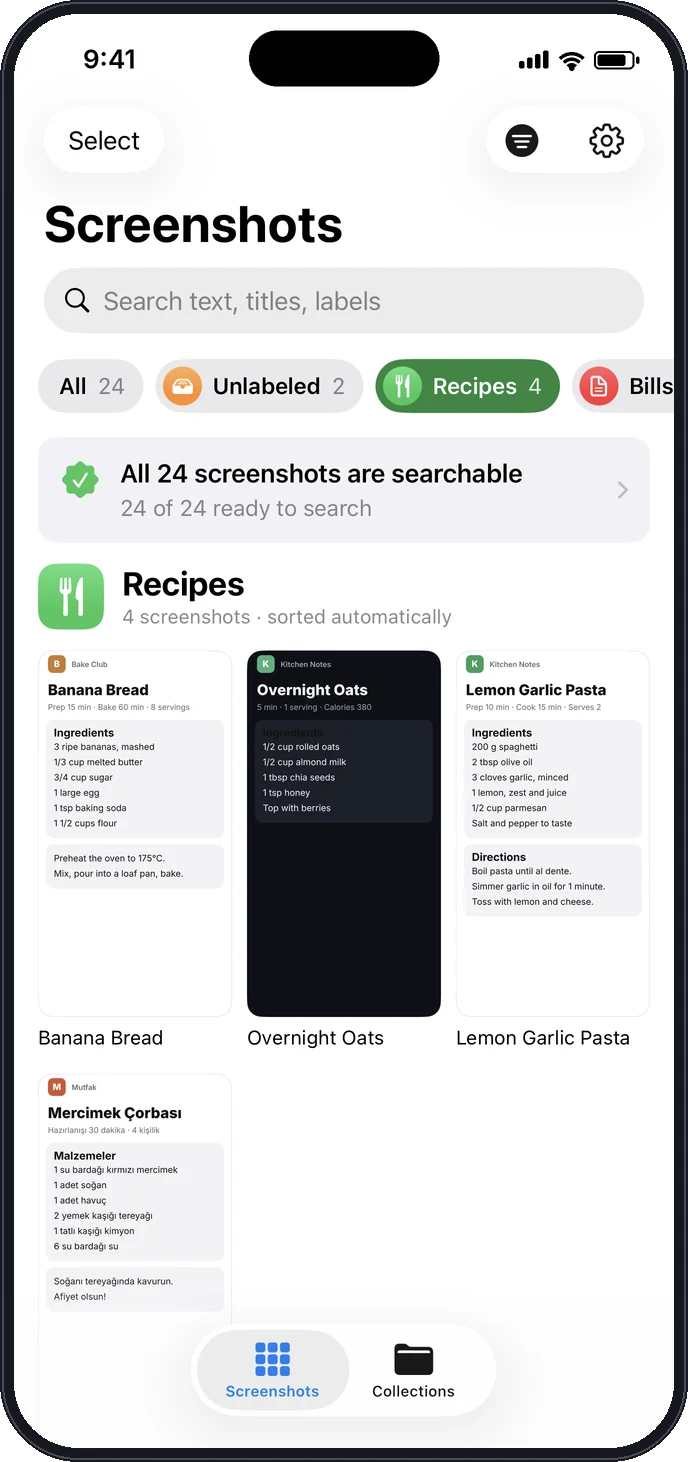
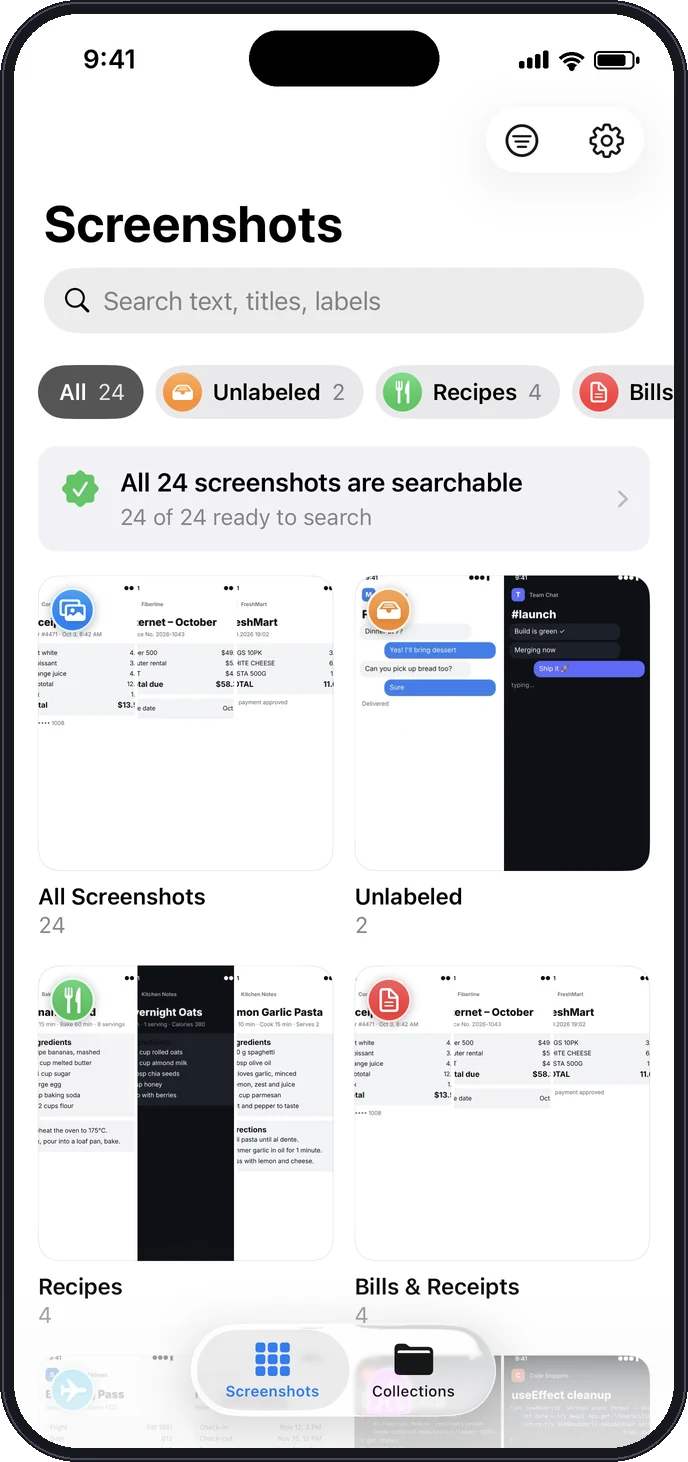
Tagshot reads every screenshot on your iPhone and sorts it into labels like Recipes, Bills and Passwords. Then search the words inside them.
Free to start · One-time unlock, no subscription · Works offline
Every screenshot finds its place
Recipes you meant to cook, receipts you might need, a Wi-Fi password from last summer. Tagshot recognizes what each screenshot is and files it, in English, Turkish, Spanish, German, French and Portuguese.
Search the words in your screenshots
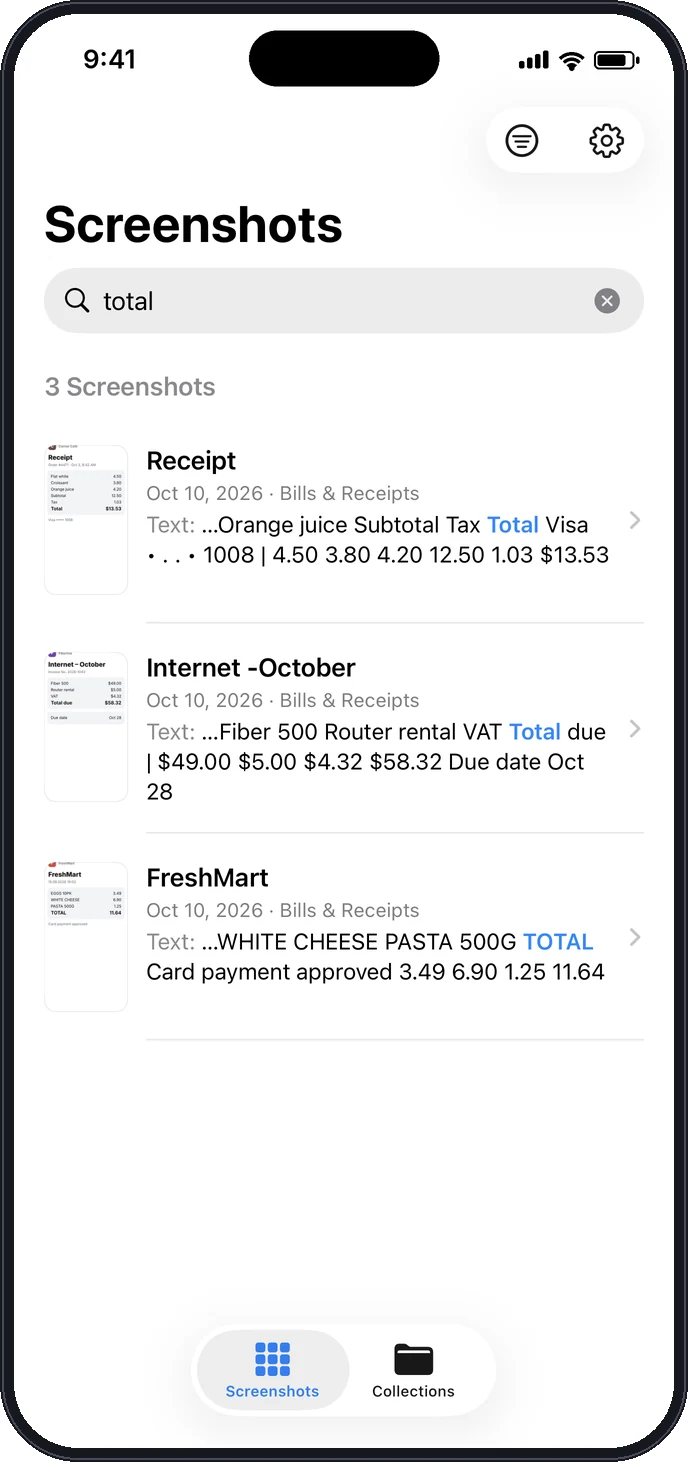
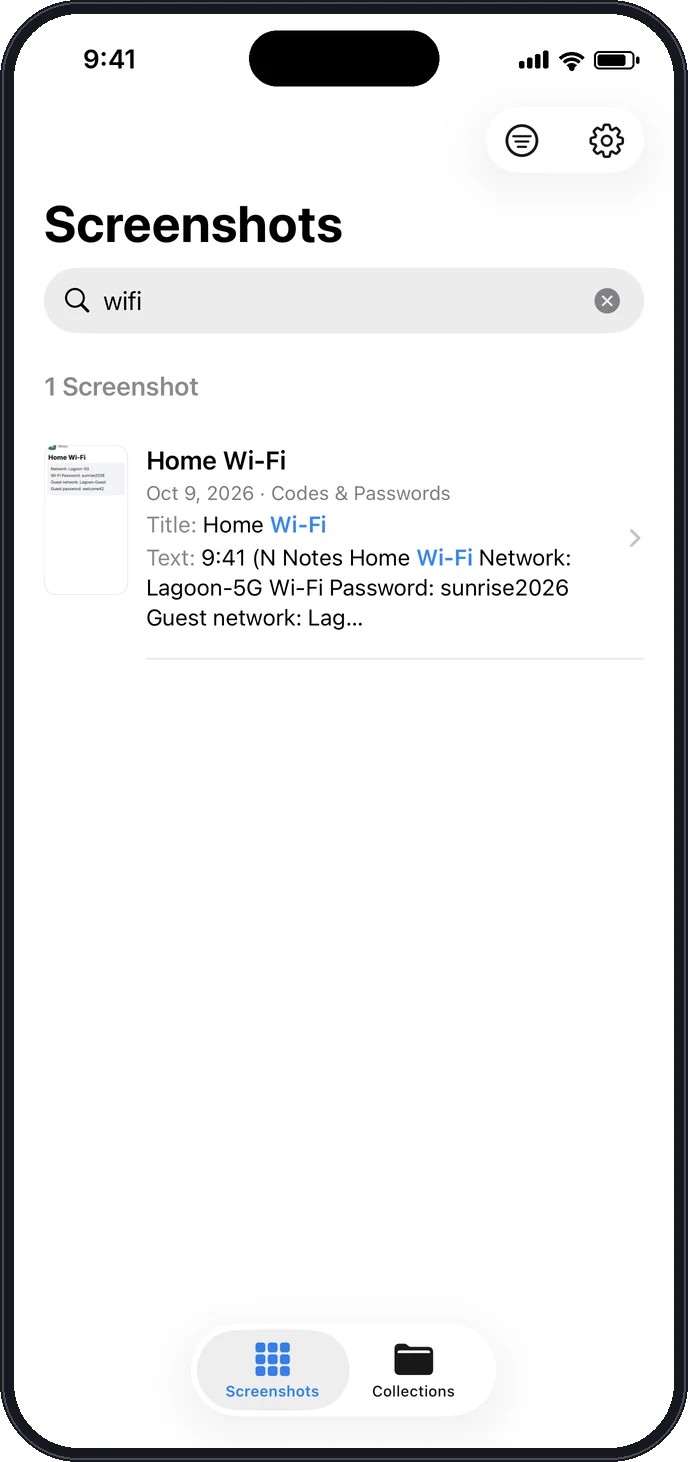
Type “total”, “wifi” or a friend’s name. Tagshot finds the screenshots that contain it and highlights where.
- Text recognized with Apple’s on-device Vision
- Accents don’t matter: “cafe” finds “Café”
- Fast, even with thousands of screenshots
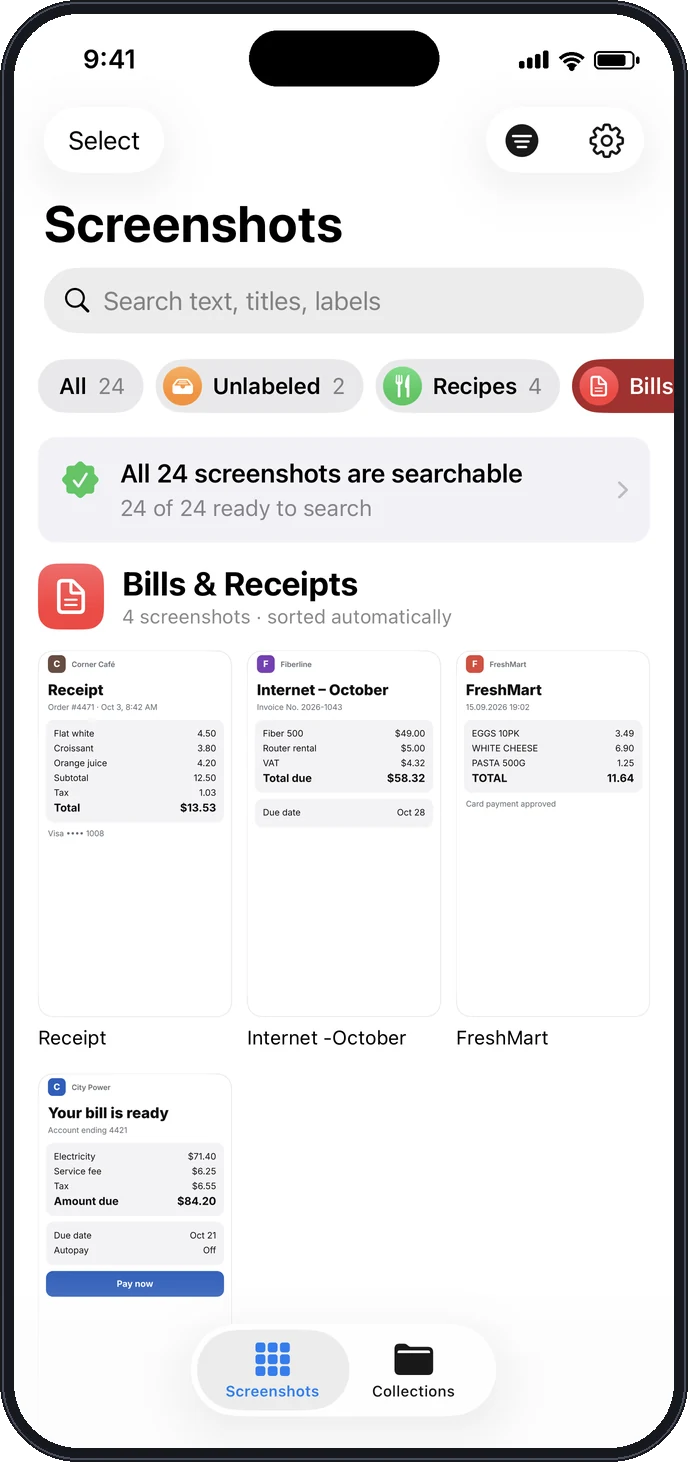
Recipes with recipes. Bills with bills.
No folders to make, no tagging by hand. New screenshots are labeled as they arrive, and anything Tagshot isn’t sure about waits in your Unlabeled inbox.
- Add your own labels in one tap
- Label many screenshots at once, with Undo
That Wi-Fi password? Found.
Codes, addresses, confirmation numbers and booking details stop getting lost in your camera roll.
Screenshot and label in one tap
Add the Tagshot shortcut to Back Tap. Double-tap the back of your iPhone: the screenshot is taken, saved and labeled, and you get a notification a second later, even when Tagshot is closed.

Your screenshots never leave your iPhone
Screenshots are full of personal things. Tagshot reads them on your device and keeps everything there.
On-device
Text recognition and labeling run on your iPhone. Nothing is uploaded.
No tracking
No account, no ads, no analytics. Notifications are created on your phone.
Read-only
Tagshot never edits, moves or deletes anything in your Photos library.
Free to start. Pay once to unlock all.
Free
- Search every screenshot
- Social Posts, Recipes and Bills labels
- Your own labels and collections
Unlock All Labels
- All 32 automatic labels
- Everything in Free
- Restore on any of your iPhones
Questions
Does Tagshot upload my screenshots?
No. Text recognition and labeling happen on your iPhone with Apple’s Vision framework. Your screenshots and their text never leave the device.
Will it change or delete my photos?
No. Tagshot only reads your screenshots. The one exception is a screenshot you take with the Tagshot shortcut, which it saves to Photos for you.
Which languages does it understand?
Labels work in English, Turkish, Spanish, German, French and Portuguese, and amounts, codes, links and app names are recognized in any language. Search works in every language your iPhone can read.
Is it a subscription?
No. Tagshot is free to use with three built-in labels. A single one-time purchase unlocks all labels, and you can restore it on any iPhone signed in with your Apple ID.
How does instant labeling work?
Add Tagshot’s “Save & Label Screenshot” action to a shortcut after “Take Screenshot”, then assign it to Back Tap in iOS Settings. Tagshot’s Settings walk you through it.
Does it work on iPad?
Yes, Tagshot runs on iPhone and iPad.
Clean up your screenshots today
Find the recipe, the receipt and the password the moment you need them.